Best Accounting Software Based on In-Depth Reviews
- 200+Hours of research
- 75+Sources used
- 34Companies vetted
- 4Features reviewed
- 5Top
Picks

- You’ll still need to hire an accountant for complex accounting situations
- The software options in this review are ideal only for small businesses and freelancers
- No expertise or experience needed to use the software featured in this review
- Cloud-based software is the best option for today’s online-centric lifestyle
How we analyzed the best Accounting Software Providers
Our Top Picks: Accounting Software Reviews
Making sure your small business or freelancing career thrives is a 24/7, year-round commitment that requires lots of time and effort. You must take care of everything, including the tedious task of “crunching the numbers”. Getting these numbers right can make the difference between success and failure, which is why, if you know next to nothing about accounting and/or finances, you need all the help you can get.
By automating some of the most essential small business accounting processes –invoicing, accounts receivable and payable, general ledger, billing, bank reconciliation, and expense tracking, to name just a few–, the best accounting software will make your job much easier and less time consuming, so you can focus on all the other facets of your business. These programs keep human errors at a minimum and are able to give you a clear, exact view of your business’s finances.

The accounting software programs included in this review are ideal for small business owners and freelancers, and are a great alternative to expensive live-person accountant services that your business may not need right now.
Check our top picks below, and choose the one that best serves your needs. Also, looking for Payroll Software and/or ERP software? Check out our reviews here and here.
Sage 50cloud review

Best for Desktops
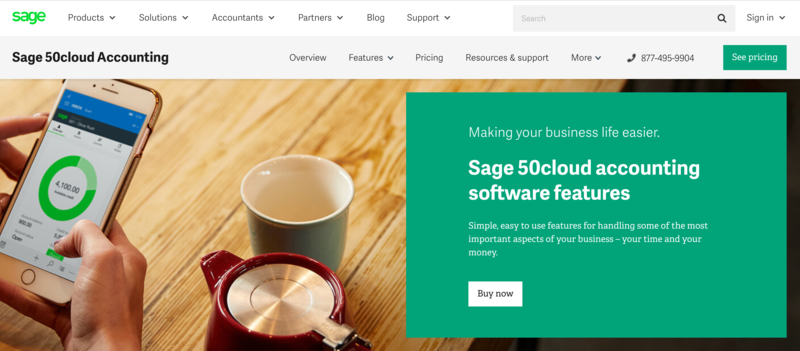
Screenshot Sage.com, March 2020
- Software type - Desktop-Hybrid
- Price - Pro Accounting: $503.234 per year / Premium Accounting: $778.63-$1,843.51 per year (depending on the number of users). More details here.
- Trial Period - Not available, except for a general “test drive”
- Mobile app - Not available
If you prefer the desktop-centric accounting software rather than the cloud-based options, then Sage 50cloud is the right fit for you. The great part about this software is that, while focused mainly on its desktop features, you can also share data via its Microsoft Office 365 integration. Because of this, Sage 50cloud can be best described as a hybrid tool: desktop-based with cloud-sharing capabilities.
The Standouts
Array of Features - Its price may be a bit steep, but the software makes up with a vast list of features that will help you manage every aspect of your business’s accounting. The software features include:
- Activity dashboard (via Office 365)
- Automated purchase orders, billing, and invoicing
- Bank reconciliation
- Cash flow statements
- Contact management
- Customizable templates
- Forecasting
- Multi-currency
- Electronic payments
- Sales orders
- Tax management
- Trend analysis
- Project budgeting
- Project time-tracking
Microsoft Office 365 integration - This is the feature that, for us, puts Sage 50cloud atop all other desktop-based accounting software. Without it, it would be very difficult to share any data produced by the software, limiting its functions to the laptop or PC the software was downloaded in. What this integration means is that you can: 1) Manage your Sage contacts via Microsoft Outlook; 2) View your reports in Microsoft Excel, and; 3) Save and back up your data via OneDrive. Also, you can share data with remote users that do not have access to the desktop software.
However, to take advantage of this integration you must have a Microsoft Office Business Premium license, which costs $149 per year.


Further Insight Into Our Methodology
When we began our research for this review, we decided we had to, first and foremost, figure out the accounting needs of small business owners and freelancers. After all, these are the people who will benefit most from the accounting software included in this article.
Then, we spent over 100 hours analyzing dozens of software options in the market, looking for the ones that met our strict criteria. We specifically wanted to identify the accounting software options that struck a perfect balance, feature-wise: too few and you’d be unable to perform certain tasks; too many and you’d be paying for features you do not need.
In the end, we determined the following factors must be considered for a thorough rating of accounting software:
Features
This is, by far, the most important factor, and any other considerations come second. For this reason, we only chose accounting software capable of performing the most essential accounting tasks for small businesses, such as accounts receivable and payable, financial reporting, general ledger, bank reconciliation, billing and invoicing, expense tracking, fixed asset management, fund accounting, purchase orders, and tax management.

For a detailed description of each of the above-mentioned accounting tasks, check out our Helpful Info section.
Ease of Use
Great accounting software—such as the ones included in this review—should not only be able to perform the most essential accounting tasks for small businesses, but must also make it easy for users—of whom have zero accounting expertise—to actually perform these tasks.
For this reason, we prioritized accounting software that's intuitive, easy to install and use—especially via a simple dashboard—, and that requires little or no previous accounting experience. In fact, the best among the accounting software options make accounting tasks as simple as playing a mobile game.
Customer Service
When using accounting software, many questions may probably come up regarding its proper use. You don’t want to make unnecessary mistakes, especially when it comes to your business’s finances.
Because of this, and because most accounting software users have little to no formal accounting training, we prioritized software with robust, round-the-clock customer service, including, but not limited to, live chats, phone and email contacts, online help centers, and video tutorials.
Data Privacy
Accounting software holds your business’s sensitive financial information, which is why it must protect said information from unauthorized third parties and hackers. For this reason, we only chose software companies adhering to the most trusted security standards, such as Extended Validation (EV) SSL and 256-bit encryption.
Helpful Information About Accounting Software
By automating and digitizing the complex, time-consuming, and extremely prone-to-human-error accounting tasks necessary to run a small business or freelancing career, accounting software is a great tool for non-accountant entrepreneurs who want the benefit of thorough, accurate financial records for only a fraction of the fees charged by a certified accountant.
Because of its many benefits, it’s no wonder that 65% of small businesses use some type of accounting software, or that the accounting software industry is predicted to reach a global value of $11.8 billion by 2026.
According to José Luis Rodríguez, a tax and customs specialist with 15 years of experience in the oil industry, “like most areas of our lives, small businesses are right in the middle of the information revolution, and tools like accounting software help owners and freelancers stay agile and on top of their business. Plus, they can stay informed thanks to the multiple reports and data produced by the software.”
Valerie de la Cruz, Accounting Manager at Ad Practitioners, LLC, had this to say about the benefits of accounting software: “Accounting software lets business owners monitor their income and spending, giving them control over their finances, plus a clear overview of where the business stands.”
Here are some things you should know about accounting software.
The Essentials
Effective accounting software –such as the ones featured in this review– must be able to perform and automate tasks that are indispensable for the proper management of a small business’s finances. These are:
Accounts Receivable and Payable
Accounts receivable refers to money owed to a company by its customers, while accounts payable is the reverse: money owed by the company to its clients, contractors, and service providers.
Financial Reports
Financial reports are documents summarizing a business’s financial performance for a determined period of time. These reports are shared with interested third parties –such as shareholders and regulating agencies– and usually include balance sheets, income statements or loss reports, statements of equity, and cash flow statements.
General Ledger
This is the system used to record every financial transaction made by a business. The information contained in the general ledger is used to create financial reports.
Bank Reconciliation
The process by which a business’s internal financial records are reconciled, or matched, with its bank records. It summarizes the deposits, withdrawals, and other activities affecting a business’s bank account for a specific period.
Billing and Invoicing
The two concepts may seem identical, but they’re not; invoices are basically a description of services provided, while bills refer to a request for payment. This is one of the most important tasks in a small business, and its automation by accounting software represents a drastic reduction of time performing this task.
Expense Tracking
This is a record of daily financial transactions, so that you can stick to your business’s budget. Some accounting software even lets you upload receipts by taking a photo, making it a great way to stay on top of your cash flow and also get you prepared for tax season.
Fund Accounting
A task mostly performed by non-profits, this applies to funds that have restrictions relating to their use. In fund accounting, the focus is on accountability –the right and lawful use of funds– rather than profits.
The Benefits
Besides significantly cutting down on the time you’d have to spend performing accounting tasks –therefore making your job as a business owner much easier–, one of the most important benefits of accounting software has to do with the virtual elimination of human errors.
By using complex algorithms and machine learning, accounting software gives you 100% accurate results regarding your company’s finances. This accuracy, consequently, helps you create reports that meet the legal requirements for your business.
In addition, accounting software is able to give you an overview of your business’s progress and status, so you can pinpoint opportunities and areas that need improving.

Accounting Software vs Certified Accountant
Even if you use accounting software for most of your business’s financial tasks, this does not mean that you should altogether forgo the services of an accountant.
According to Valerie de la Cruz, Accounting Manager at Ad Practitioners, LLC –ConsumersAdvocate’s parent company–: “Businesses will always need a real person making sure the information on the software reflects real-life transactions. While accounting software certainly makes processes a lot easier, a real accountant can strategize in ways that machines yet cannot.”
Ideally, you should use the services of both, and give your accountant access to your accounting software. This way, you’ll both be –quite literally– on the same page.
Cloud and Desktop Options
In the world of accounting software, there are two main options: cloud-based and desktop-centric.
The desktop versions run only on the computer you download them into and do not require an internet connection in order to function. Data is stored in your own PC, which means you’ll need to use some sort of backup in case your computer breaks down. Consequently, desktop versions make it harder to share your data and/or access your financial information, since it’s all in your computer.
We, however, recommend cloud-based accounting software because of its sharing capabilities, automatic data backup –so that you can be sure you’ll never lose your financial data–, and affordable monthly payments. Cloud-based accounting software is tailored to today’s mobile users, meaning you’ll be able to access your data from anywhere and via various media, including webpages and apps.
What To Watch Out For When Purchasing Accounting Software
Business Type and Size
When purchasing accounting software, you must take into account the size of your business, the number of employees you have, the tasks that need to be performed, how many people will use the software, any other software that you’re already using, and your level of accounting expertise, if any. If your business is small but expanding at a rapid pace, you might want to get accounting software that is able to handle tasks akin to those of a middle-sized business. Otherwise, you’ll be stuck with a product that cannot meet your demands.
Regulation Compliance
As a small business owner or freelancer, you want to comply with every federal and state regulation. For this reason, it is imperative that the accounting software that you choose is up to date on all financial and tax rules, which change frequently. This way, you can be sure your calculations are not only correct, but law-abiding.
Fortunately, most cloud-based accounting software automatically update their accounting algorithms so that they are in line with standard accounting practices –which is one of the many reasons why we recommend cloud-based over desktop-only.
FAQs About Accounting Software
What are the essential features every accounting software for small businesses must have?
These essential features are:
- Accounts receivable
- Accounts payable
- Financial reports
- Financial statements
- Bank reconciliation
- General ledger
- Dashboard
- Standard data protection
- 24/7 Customer support
Do I need accounting training or expertise to use accounting software?
No. The accounting software featured in this article are easy to use, intuitive, and very user friendly. Within minutes, you’ll have your account up and running. Plus, if you need any assistance, you can contact each software’s customer service and they’ll answer all the questions you might have.