10 Best Parental Control App Providers - August 2026
Take control of your child’s digital world with the best parental control app for iPhone or Android. Set screen time limits, track activity, and get instant alerts for cyberbullying or explicit content. Find the best parental monitoring app for your family!


selected this partner

selected this partner
🔥 60% Off Annual Plan — Just $8.33/Month
- Set Screen Time Limits, Bedtime & Pause The Internet®
- Protect Unlimited Kids & Devices
- Apply Age-Appropriate Filters for Apps & Sites
- Get Alerts For High-Risk AI Apps & Gaming Activity

🔥 42% Off Annual Plan - $99/yr or $14/mo
- Monitor Texts, Email And 30+ Apps & Platforms
- Manage Screen Time & Filter Content
- Alerts For Cyberbullying & Online Predators
- Keep Up With Kids With Location Alerts & Check-Ins

3 day free trial + Parental Controls From $4.58/Month
- Block Apps, Games & Unsafe Websites
- Schedule Screen Time & Custom Digital Routines
- Track Location & Geofence Key Zones
- Get Real-Time AI Alerts For Risky Searches & Behavior

Get 50% Off Your First 3 Months
- Monitor & Manage Your Child’s Online Activity
- Block & Track Websites, Apps, and Screen Time
- View Social Media Chats, Texts, & Emails
- Track GPS Location & Get Geofencing Alerts

- Monitor texts, calls, and social media.
- Track your child's real-time location.
- Block apps, websites, and screen time.
- Easy setup for iOS and Android devices.
Find the Best Parental Control App for Your Family
As a parent, you want to protect your child while giving them the freedom to learn and connect online. Choosing the best parental control app or best parental control app for iPhone means finding tools that help you set healthy limits, track screen time, and encourage open conversations about digital safety. The right app should make life easier—not more complicated—so you can focus on guiding your child, not policing them.
How to Choose the Right Parental Monitoring App
When comparing parental control apps or the best apps for monitoring child's phone, look for a balance between privacy, transparency, and practicality. The best parental monitoring app offers customizable settings, real-time updates, and compatibility across devices—especially if your family uses iPhones. Focus on features that build trust and accountability, helping you stay connected and confident in your child’s digital journey.
Aura Parental Control App
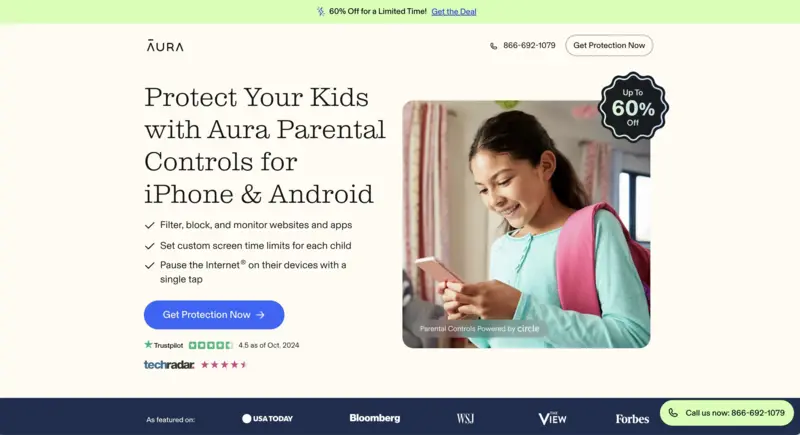
Aura Company Overview
Aura is a leading digital safety company focused on protecting families from online threats, identity theft, and cyberbullying. Trusted by over 1 million users, Aura combines advanced cybersecurity, privacy tools, and award-winning parental controls into one seamless platform.
- Content Filtering
- Set custom filters for each family member and control access to specific apps, websites, and streaming platforms.
- Set Online Balance
- See how your child spends time online — with smart insights to help you guide them.
- Screen Time Limits
- Set precise limits by child, app, website category, and total daily screen time — all from one dashboard.
- Set Bedtimes
- Automatically cut internet access at bedtime for all devices linked to your child’s profile.
- Pause the Internet®
- Instantly pause internet access for one child or the whole home with a single tap.
- Activity Monitoring
- View detailed reports on app and web use across all devices to detect patterns and prevent overuse.
- Safe Gaming
- Get instant alerts from voice and text chats in 200+ popular PC games, with round-the-clock monitoring.
Device & Platform Compatibility
Aura Parental Controls are compatible with iOS, Android, Windows, Mac, and Chromebooks — covering smartphones, tablets, computers, and gaming consoles. One simple solution to manage and protect every device in your home.
Plans & Pricing
Aura offers flexible plans for individuals, couples, and families — each designed to fit your household’s needs. All plans include full access to parental controls, real-time alerts, device monitoring, and 24/7 U.S.-based support. Choose monthly or annual billing, and start with a free trial to explore all features risk-free.
Bark Parental Controls

Bark Company Overview
With AI-powered monitoring, screen time tools, and location tracking across 30+ platforms, Bark Premium empowers over 7 million parents to detect dangers, manage content, and support safer digital habits for their kids.
- App & Content Monitoring
- Track texts, emails, YouTube, and 30+ platforms for signs of issues like bullying, predators, and more.
- Real-Time Alerts
- Get immediate notifications when potential risks are detected, including suicidal ideation or explicit content.
- Web & Media Scanning
- Scan web searches, saved images, and videos on supported devices for concerning behavior.
- Website & App Filtering
- Block specific websites or entire categories; restrict app use based on your child’s age or needs.
- Screen Time Management
- Set schedules, daily limits, and routines—like school hours or bedtime—for device and app usage.
- Location Tracking & Check-Ins
- Track your child’s real-time location, set geofenced areas, and receive alerts when they enter or leave zones.
Device & Platform Compatibility
Bark is compatible with iOS, Android, and other devices, supporting various platforms and providing cross-device synchronization.
Plans & Pricing
Bark Premium is $99/year or $14/month — their annual plan is the most popular and saves you 42%.
Qustodio Parental Control Apps

Qustodio Company Overview
Qustodio provides parental control and digital wellbeing tools that help families manage screen time, filter content, and monitor activity across devices. Trusted by millions of parents, it focuses on clear dashboards, alerts, and cross-platform coverage.
- Filter Content & Apps
- Block inappropriate websites, apps & games; allow only child-friendly content.
- Activity Monitoring
- Get detailed reports on web browsing, app use, searches; alerts for risky content.
- Screen-Time Limits
- Daily limits, restricted times, routines, schedules for device/app access.
- Geofencing
- Real-time location tracking; mark safe zones; get notified when child enters or leaves those zones.
Device & Platform Compatibility
Qustodio works on Android, iOS, Windows, Mac, Chromebook, and Kindle. Parents can manage settings from the mobile app or web dashboard, though certain features may vary depending on the operating system.
Plans & Pricing
Qustodio offers a free plan with essential features for one device and premium subscriptions with expanded monitoring, reporting, and screen-time controls. Premium tiers are billed annually, with pricing based on the number of devices covered.
mSpy Parental Controls

mSpy Company Overview
mSpy offers parental control and phone monitoring tools that let users track calls, messages, GPS, and app activity in real time. Trusted by over 1.5 million users worldwide, it provides discreet, easy-to-use solutions for digital supervision.
- Call & Text Monitoring
- Track incoming/outgoing calls, contact info, and text message content, even deleted messages.
- GPS Location Tracking
- View real-time GPS location, route history, and set geofencing alerts for defined areas.
- Social Media Monitoring
- Monitor activity on WhatsApp, Snapchat, Facebook Messenger, Instagram, Telegram, and more.
- Screen Recorder
- Automatically captures screenshots of app activity for visual insight into device use.
- App & Website Blocking
- Block or restrict specific apps and websites to control distractions or harmful content.
- Keylogger
- Capture keystrokes made on the device, including messages typed but not sent.
- Email & Browser History
- Review sent/received emails and full browsing history, including deleted records.
- Stealth Mode
- Runs in the background invisibly; user won’t know the app is installed.
- Multi-Device Access
- Easily switch monitoring between multiple devices under one account.
Device & Platform Compatibility
mSpy supports Android and iOS smartphones and tablets. It works with most major OS versions and includes both jailbreak and no-jailbreak options for iPhone users, ensuring flexible installation across devices.
Plans & Pricing
mSpy offers monthly, quarterly, and annual plans starting at $11.66/month (billed yearly). All plans include core monitoring features, with discounted pricing for long-term subscriptions.